Audit Logging
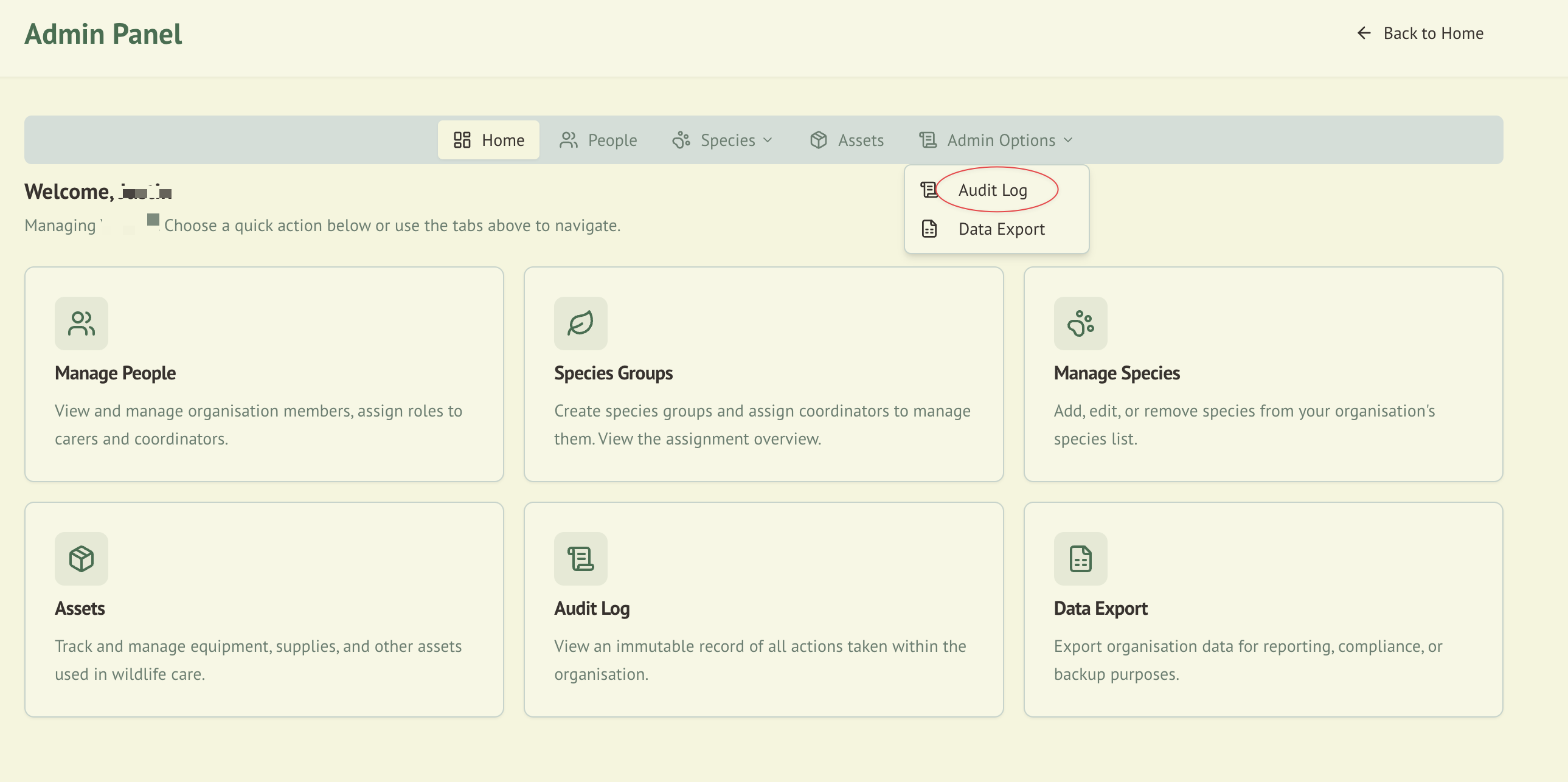
WildTrack360 maintains a comprehensive audit trail of all significant actions within the system. This supports compliance requirements, troubleshooting, and organisational accountability.
Overview
Every create, update, delete, role change, assignment, and authentication event is automatically recorded with full context including who performed the action, when, and what changed.
What Gets Logged
CRUD Operations
| Action | Example |
|---|---|
| Create | New animal admitted, new record added, asset created |
| Update | Animal details edited, status changed, carer profile updated |
| Delete | Record removed, asset retired |
Role & Assignment Events
| Action | Example |
|---|---|
| Role change | User promoted from Carer to Coordinator |
| Assignment | Carer assigned to an animal |
| Unassignment | Carer removed from an animal |
Authentication Events
| Action | Example |
|---|---|
| Login | User signed in to the system |
Audit Log Data
Each log entry captures:
| Field | Description |
|---|---|
| Timestamp | When the action occurred (timezone-aware) |
| User name | Display name of the person who performed the action, resolved live from Clerk when the log is viewed |
| User email | Email address of the person who performed the action, resolved live from Clerk when the log is viewed |
| Action type | CREATE, UPDATE, DELETE, ROLE_CHANGE, ASSIGN, UNASSIGN, LOGIN |
| Entity type | The type of record affected (Animal, Record, Asset, User, etc.) |
| Entity ID | The specific record identifier |
| Organisation | The Clerk organisation scope |
| Metadata | Additional context about the change (old/new values where applicable) |
:::note User details are resolved, not stored For privacy, WildTrack360 stores audit entries against the stable Clerk user ID and resolves the person's name and email from Clerk when you view the log — so displays stay current and no new personal data is copied into the audit table. Names and emails also appear this way throughout the app (dashboards, rosters, compliance pages) instead of raw internal IDs. When a user can no longer be resolved, the entry falls back to a safe label. Raw audit exports carry the underlying Clerk IDs and metadata rather than resolved names. :::
Viewing Audit Logs
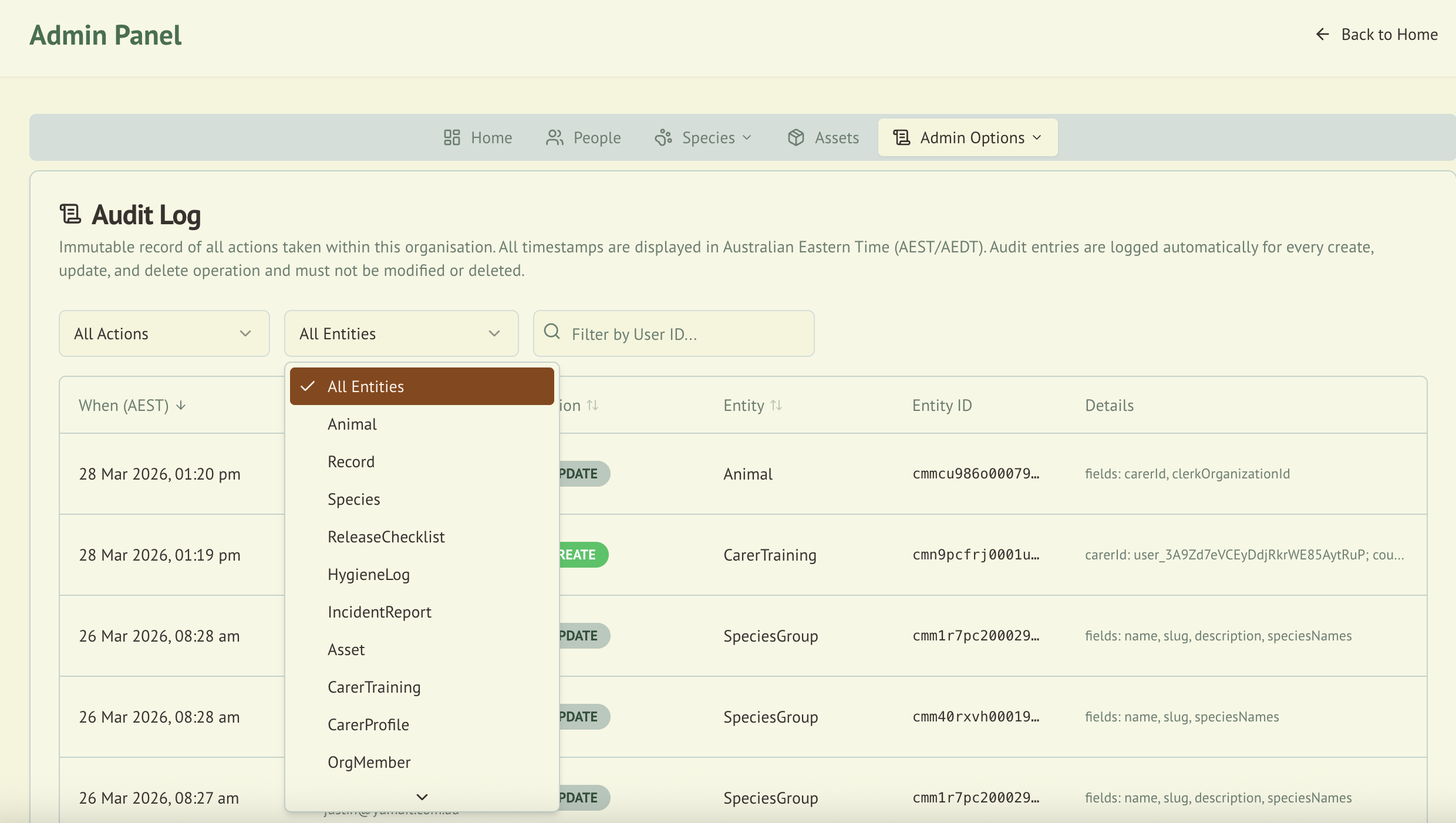
Audit logs are accessible from the Admin Panel and are restricted to users with the Admin role.
Filtering
The audit log viewer supports filtering by:
- Action type (e.g., show only DELETE actions)
- User (e.g., show only actions by a specific person)
- Date range
- Entity type
Sorting
Logs can be sorted by:
- Timestamp (newest or oldest first)
- Action type
- User
Pagination
Results are paginated for performance. Navigate between pages to review historical entries.
Search
Use the search bar to find specific log entries by keyword across all fields.
Input Validation
The audit log API enforces strict input validation:
- Filter values are sanitised to prevent injection
- Pagination parameters are bounded to reasonable limits
- Sort fields are restricted to valid column names
Compliance Value
Audit logging supports regulatory compliance by:
- Providing a tamper-evident record of all data changes
- Documenting who accessed and modified animal records
- Supporting the record retention requirements under ACT and NSW codes of practice
- Enabling investigation of incidents or data discrepancies
Integration with Other Modules
| Module | Integration |
|---|---|
| Wildlife Admission | All animal record changes are logged |
| Roles & Permissions | Role changes and assignments are logged |
| User Management | Login events and profile changes are logged |
| Asset Management | Asset lifecycle events are logged |
| Compliance | Audit trail supports compliance evidence requirements |