Compliance Readiness Checklist
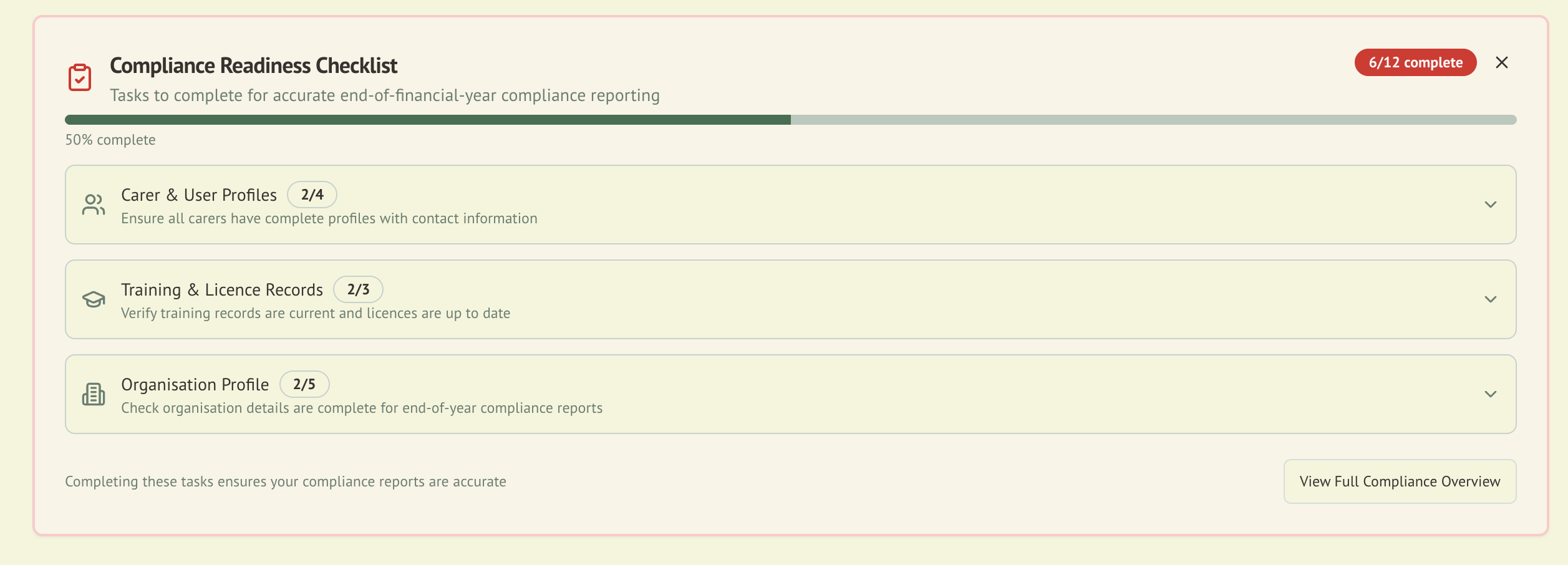
The Compliance Readiness Checklist gives administrators an at-a-glance view of their organisation's preparedness for end-of-financial-year reporting and regulatory audits.
Overview
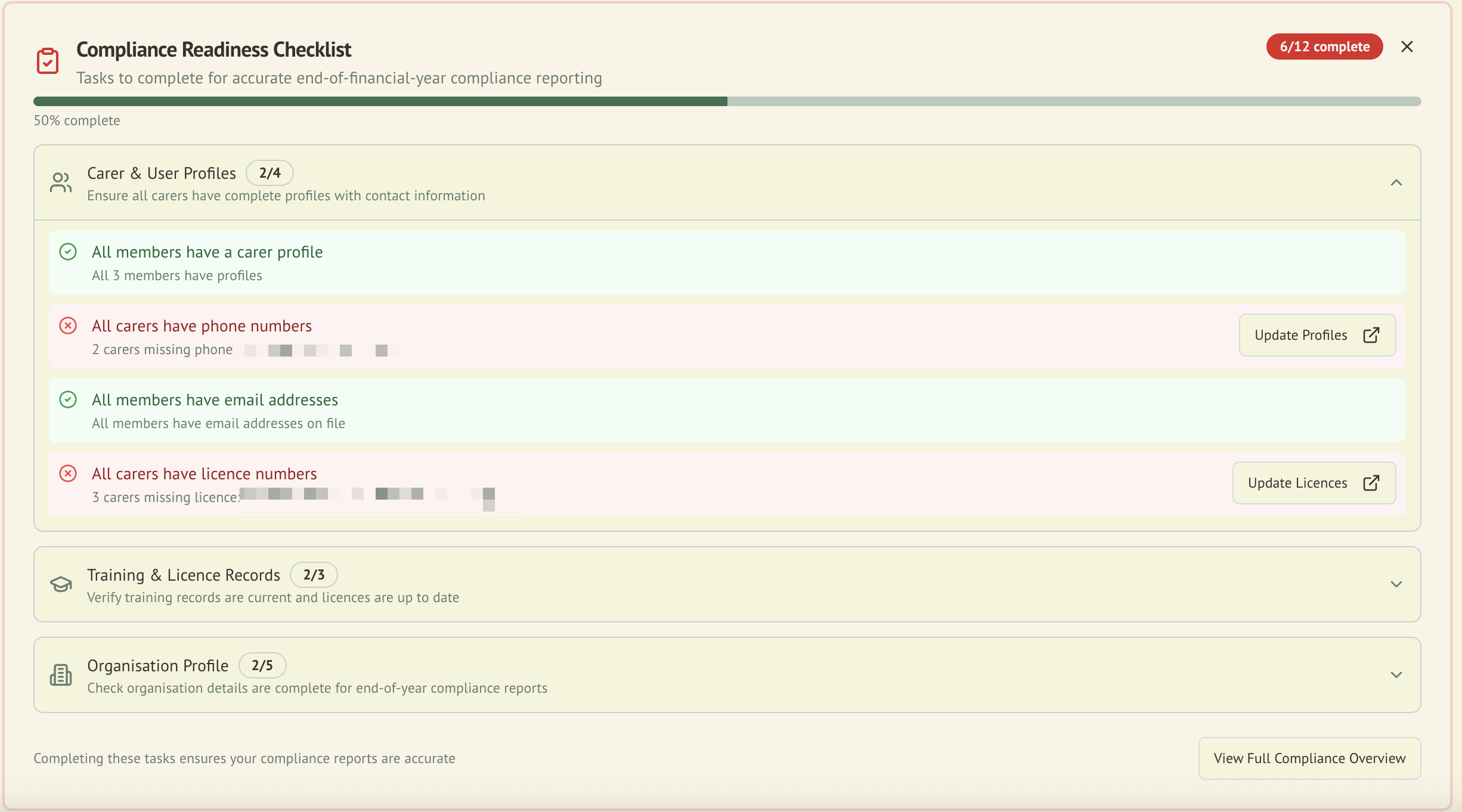
When an admin signs in, the checklist appears at the top of their dashboard. It evaluates readiness across three categories and highlights specific items that need attention, with direct links to fix each issue.
Checklist Categories
1. Carer/User Profiles
Verifies that all organisation members have complete profiles.
| Check | What It Verifies |
|---|---|
| Phone numbers | Every member has a phone number on file |
| Email addresses | Every member has an email address (sourced from Clerk) |
| Licence numbers | Every carer has their wildlife rehabilitation licence recorded |
| Member IDs | Every member has an organisation-specific Member ID assigned |
2. Training & Licence Records
Ensures qualifications are current and documented.
| Check | What It Verifies |
|---|---|
| Training records | All carers have at least one training record |
| Expired certifications | No certifications have passed their expiry date |
| Expired licences | No wildlife rehabilitation licences have expired |
3. Organisation Profile
Confirms the organisation's details are properly configured.
| Check | What It Verifies |
|---|---|
| Organisation name | Configured in system settings |
| Jurisdiction | ACT or NSW jurisdiction selected |
| Contact email | Organisation contact email on file |
| Contact phone | Organisation contact phone number on file |
| Licence number | Organisation wildlife rehabilitation licence number recorded |
| Animal IDs | All animals in the organisation have an Animal ID assigned |
How It Works
Progress Tracking
- Each category shows a completion count (e.g., "3/5 items complete")
- An overall progress indicator summarises total readiness across all categories
- Items are colour-coded: complete items in green, incomplete items requiring attention in amber/red
Action Links
Each incomplete item includes a direct link to the relevant admin page where the issue can be resolved. For example:
- Missing phone number links to that user's carer profile
- Expired licence links to the licence management section
- Missing org details links to organisation settings
Dismissal
The checklist can be dismissed for 24 hours if you want a cleaner dashboard temporarily. It reappears automatically after the dismissal period.
Dashboard Alerts
In addition to the compliance checklist, admins see a standalone blue banner on the home dashboard when animals are missing Animal IDs. This banner shows the count of affected animals and links to the animal management page and the Organisation Settings where the ID template can be configured.
When to Use
The checklist is particularly valuable:
- Before EOFY: Verify all records are complete before generating annual reports
- Before audits: Ensure your organisation is prepared for regulatory review
- After onboarding new carers: Confirm new members have completed all required profile fields
- Periodically: Regular checks prevent last-minute scrambles
Integration with Other Modules
| Module | Integration |
|---|---|
| Compliance | Checklist items map to compliance scoring categories |
| User Management | Profile completion data feeds the carer/user profile checks |
| Roles & Permissions | Only Admin role users see the checklist |