Wildlife Admission & Registration
The Wildlife Admission module is the core of WildTrack360, providing comprehensive tracking of every animal from rescue through to release or other outcomes.
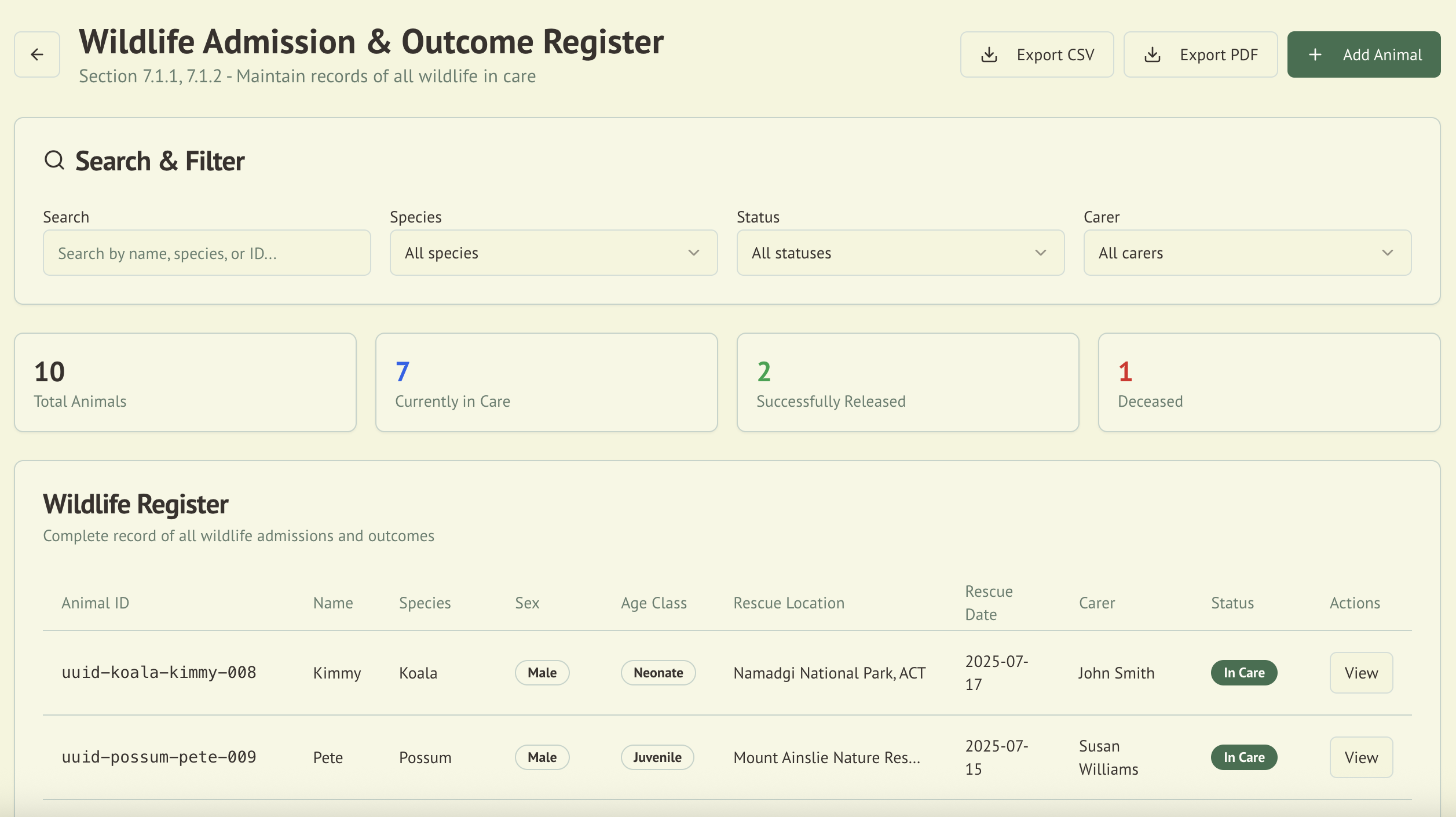
Overview
The Wildlife Admission Register serves as the primary record-keeping system for all animals in care. It captures detailed information required for compliance with Australian wildlife rehabilitation codes of practice.
:::tip Ask Wally Admins and coordinators can admit an animal by chatting with Wally, the in-app AI assistant. Say "I want to admit a new animal into care" and Wally will ask for the details, confirm them with you, then create the record with the next animal ID in your organisation's sequence. :::
Key Features
🏷️ Org-Configurable Animal IDs
Every animal can be assigned a human-readable Animal ID that follows your organisation's preferred format. Admins configure the ID template from Admin > Organisation Settings, and new animals are automatically assigned the next ID in the sequence.
- Template placeholders:
{ORG_SHORT},{YYYY},{YY},{seq},{seq:N}(zero-padded),{SPECIES} - Example: Template
{ORG_SHORT}-{YYYY}-{seq:4}with org code "WARC" produces IDs likeWARC-2026-0042 - Auto-populated on new animals: When creating an animal, the next available ID is previewed in the form
- Always editable: Users can override the auto-generated ID with any value they prefer
- No wasted numbers: Abandoning a form without saving does not consume a sequence number
- Unique per organisation: The system validates that no two animals in the same org share an Animal ID
The Animal ID is displayed on the animal detail page, on dashboard animal cards, and is included in all data exports.
📝 Comprehensive Data Capture
The admission system records all essential information:
-
Animal Identification
- Animal ID (auto-generated from org template, editable)
- Given name (optional)
- Species (common and scientific names)
- Sex determination
- Age classification (Juvenile, Adult, Unknown)
- Estimated date of birth
-
Rescue Information
- Date and time found
- Rescue location (address)
- GPS coordinates (automatic capture available)
- Circumstances of rescue
- Initial condition assessment
- Person who found the animal
- Transport details
-
Care Assignment
- Primary carer allocation
- Secondary/backup carers
- Specialization requirements
- Housing location
📍 Location Tracking
WildTrack360 includes advanced location features:
- GPS Coordinate Capture: Automatic location detection for rescue sites
- Map Integration: Visual display of rescue and release locations with Google Maps
- Automatic Address Population: Drop a pin on the map and street address, suburb, and postcode are automatically filled
- Distance Calculations: Automatic compliance checking for release distances
- Location History: Track all movements and transfers
- Release Location Tracking: Automatic capture of release addresses when marking animals as released
- OpenStreetMap Integration: Reverse geocoding for accurate address extraction
📊 Status Management
Track the current status of each animal:
- In Care: Currently receiving treatment
- Released: Successfully returned to wild
- Transferred: Moved to another facility
- Deceased: Natural death or euthanasia
- Escaped: Unplanned departure
- Permanent Care: Unable to be released
Data Fields Reference
Core Animal Information
| Field | Type | Required | Description |
|---|---|---|---|
| Animal ID | String | No | Org-configurable ID, auto-generated from template or manually entered |
| Name | String | Yes | Given name for identification |
| Species | String | Yes | Common species name (dropdown selection) |
| Sex | Enum | No | Male, Female, Unknown |
| Age Class | Enum | No | Neonate, Juvenile, Adult, Geriatric, Unknown |
| Age | String | No | Specific age (e.g., "6 months", "2 years") |
| Date of Birth | Date | No | Actual or estimated DOB |
Admission Details
| Field | Type | Required | Description |
|---|---|---|---|
| Date Found | Date | Yes | When animal was discovered |
| Status | Enum | Yes | Admitted, In Care, Ready for Release, Released, Deceased, Transferred |
| Carer | String | No | Assigned carer (dropdown selection) |
| Rescue Location | String | Yes | Address selected via map interface |
| GPS Coordinates | Object | Yes | Automatically captured latitude and longitude |
| Rescue Address | String | Auto | Street address (auto-populated from map) |
| Rescue Suburb | String | Auto | Suburb/town (auto-populated from map) |
| Rescue Postcode | String | Auto | Postcode (auto-populated from map) |
NSW-Specific Fields (Jurisdiction: NSW only)
| Field | Type | Required | Description |
|---|---|---|---|
| Encounter Type | Enum | Yes (NSW) | 70+ DCCEEW categories grouped by type |
| Initial Weight | Number | No | Weight in grams at admission |
| Animal Condition | Enum | No | Good, Fair, Poor, Emaciated, Moribund |
| Pouch Condition | Enum | No | 15 developmental stages for marsupials |
| Fate/Outcome | Enum | No | 30+ NSW-specific outcome options |
| Mark/Band/Microchip | String | No | Identification number if applicable |
Additional Information
Note: Medical information such as injury details, veterinary assessments, treatment plans, and medications are managed through separate care records after the initial admission. The admission form focuses on capturing essential identification and rescue information to quickly get the animal into the system.
Status Management
The system tracks animal status through the following stages:
| Status | Description |
|---|---|
| Admitted | Initial entry into the system |
| In Care | Currently receiving treatment (default) |
| Ready for Release | Cleared for return to wild |
| Released | Successfully returned to wild |
| Deceased | Natural death or euthanasia |
| Transferred | Moved to another facility |
Note: Detailed outcome information including release locations, death causes, and necropsy reports are managed through separate outcome recording after the initial admission.
Compliance Features
:::caution Compliance Information Notice The compliance features described below are based on our understanding of requirements at the time of implementation. Regulations may have changed. Always verify current requirements with official sources. We take no responsibility for compliance violations resulting from reliance on this information. :::
ACT Requirements
- ✅ Maintains register as per Section 7.1.1
- ✅ Searchable and filterable (Section 7.1.2)
- ✅ Export to CSV and PDF (Section 7.1.3)
- ✅ 3-year retention period enforced
- ✅ Release distance tracking (10km minimum)
NSW Requirements
- ✅ Individual animal records (Section 14.1.1)
- ✅ Transfer record management (Section 14.1.2)
- ✅ Disease outbreak reporting (Section 14.1.3)
- ✅ Comprehensive rescue information (Section 14.2.1)
- ✅ Veterinary assessment tracking (Section 14.2.2)
- ✅ DCCEEW encounter type categorization (70+ types)
- ✅ Initial weight recording in grams
- ✅ Animal condition assessment (5 levels)
- ✅ Pouch condition for marsupials (15 stages)
- ✅ Fate/outcome tracking (30+ NSW options)
- ✅ Structured address capture (street, suburb, postcode)
- ✅ Automatic address extraction from map coordinates
Search and Filter Capabilities
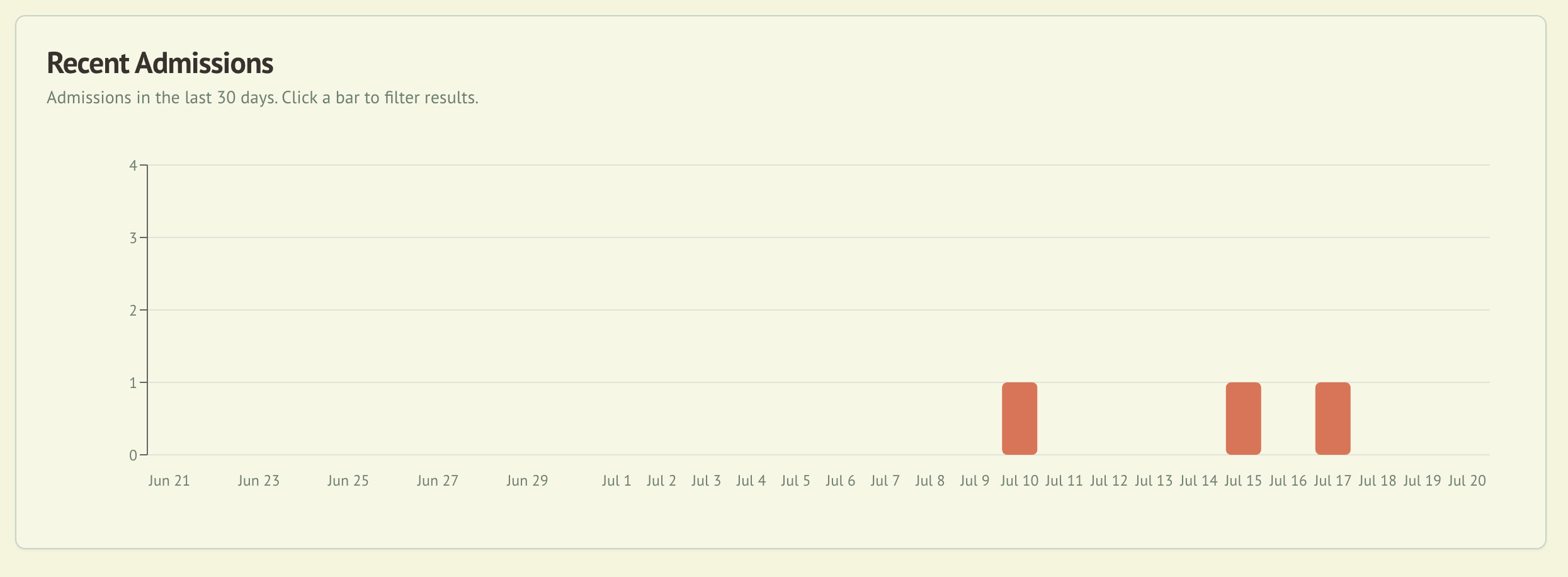
The admission register provides powerful search and filtering:
Search Options
- Quick Search: Search by ID, name, or species
- Advanced Search: Multiple criteria combinations
- Date Range: Filter by admission or outcome dates
- Geographic Search: Find animals by location radius
Filter Options
- Status: Current status of animals
- Species: Single or multiple species
- Carer: Animals assigned to specific carers
- Age Class: Juvenile, Adult, or Unknown
- Outcome: Released, Deceased, etc.
- Time Period: Last 7/30/90 days or custom
Export and Reporting
Export wildlife register data on-demand:
Available Export Formats
- CSV: Download complete register data for spreadsheet analysis
- PDF: Generate formatted report with summary statistics
Exported Data Includes
- Animal ID, name, and species
- Sex and age classification
- Rescue location and date
- Assigned carer
- Current status
- Summary statistics (total animals, in care, released, deceased)
Note: Reports must be manually generated and exported. The system does not provide automated scheduled reporting.
Best Practices
Data Entry
- Complete all required fields at time of admission
- Use GPS coordinates when available for accuracy
- Update status promptly when changes occur
- Document all treatments in care records
- Photograph injuries for documentation
Record Management
- Regular updates: Keep information current
- Verify data: Double-check species and locations
- Backup regularly: Export data weekly
- Archive completed: Move old records appropriately
- Maintain privacy: Protect finder information
Compliance
- Follow jurisdiction requirements for your area
- Manually export reports at required intervals (monthly/quarterly)
- Retain records for required period (2-3 years)
- Submit exported reports to authorities as required
- Document incidents thoroughly
Integration with Other Modules
The Wildlife Admission module integrates seamlessly with:
- Asset Management: Track equipment used
- Species Management: Access care protocols
- Incident Reporting: Link related incidents
- Daily Operations: Schedule care tasks
- Compliance Tracking: Monitor requirements
Tips for Efficient Use
Quick Admission Process
- Use the Quick Add button for rapid entry
- Save as draft if information is incomplete
- Clone similar records for multiple animals
- Use templates for common scenarios
Bulk Operations
- Import CSV: Add multiple records at once
- Bulk status update: Change multiple animals
- Mass assignment: Reassign carers in bulk
- Batch export: Generate multiple reports